J
Vegetables
Tomato
Solanum lycopersicum
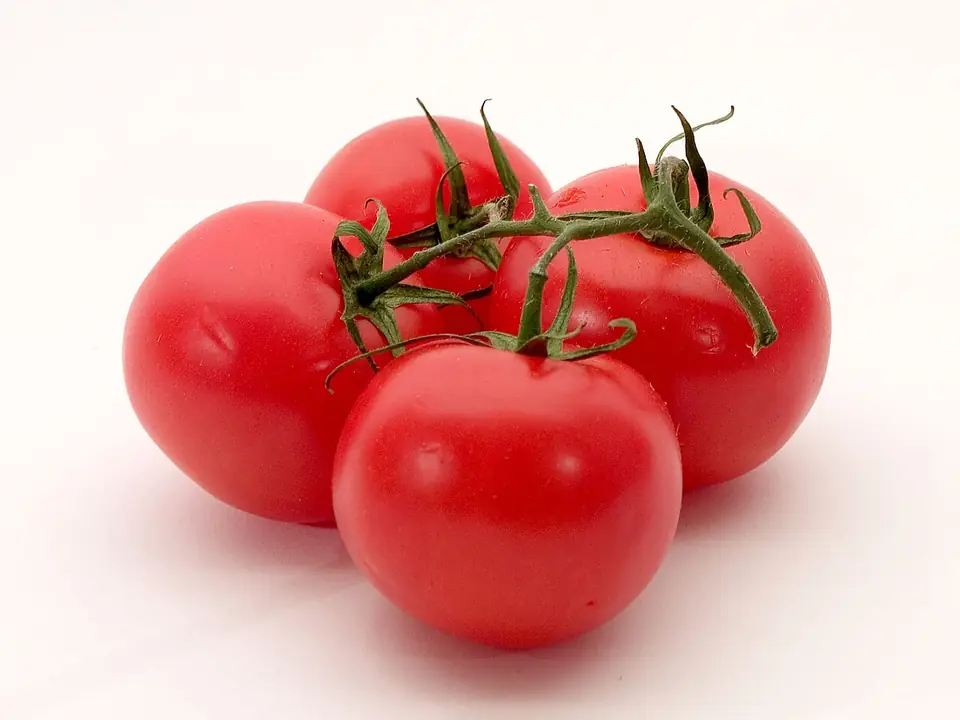
A summer crop from the nightshade family. Needs heat, sun and steady watering.
- Light
- Full sun (6 h or more)
- Height
- 1.5–2 m
- Watering
- Plenty: almost daily in summer, never waterlogged
- Soil
- fertile, rich in organic matter; loose and well-drained
- Edible?
- Yes: the fruit
- How to plant
- Sow in trays 0.5 cm deep; plant out at 4–6 leaves, 50 cm apart.
- Care
- Stake it and remove side shoots weekly. Water evenly to avoid blossom-end rot.
Calendar by climate
Warm coast
F
M
A
M
J
J
A
S
O
N
D
Mild Mediterranean
J
F
M
A
M
J
J
A
S
O
N
D
Southern interior
J
F
M
A
M
J
J
A
S
O
N
D
Continental interior
J
F
M
A
M
J
J
A
S
O
N
D
Cold interior and uplands
J
F
M
A
M
J
J
A
S
O
N
D
Atlantic
J
F
M
A
M
J
J
A
S
O
N
D
Canary Islands (subtropical)
J
F
M
A
M
J
J
A
S
O
N
D
SowPlantHarvestPruneFeedTreat
Dates are for growing outdoors. You can start seedlings earlier indoors or in a greenhouse, but plant them out only once the frosts are over.
Feeding and doses
Mild Mediterranean
- CompostMar3–5 kg / m²
- High-potash liquid feedJun, Jul, Aug≈20 ml / 10 L
Pest prevention and doses
Mild Mediterranean
- AphidsPotassium soap · May10–20 ml / L
- Blight & downy mildewCopper (Bordeaux mixture) · May, Jul10–15 g / L
- CaterpillarsBacillus thuringiensis · Jun, Aug1 g / L
Approximate doses: always follow the product label. Spray in the evening, never in full sun or on flowers visited by bees. No sulphur above 30 °C.
How easy to grow by climate
- Warm coastEasy
- Mild MediterraneanEasy
- Southern interiorNeeds regular careExtreme summer heat
- Continental interiorNeeds regular careFrost and a short season
- Cold interior and uplandsDifficultHard, long frosts
- AtlanticNeeds regular careRain and humidity: fungal disease
- Canary Islands (subtropical)Easy
Plants in the same category
- Pepper
- Aubergine
- Courgette
- Cucumber
- Green bean
- Lettuce
- Garlic
- Onion
- Broad bean
- Pea
- Carrot
- Spinach
- Broccoli
- Potato
- Pumpkin
- Melon
- Watermelon
- Swiss chard
- Leek
- Cauliflower
- Radish
- Globe artichoke
- Sweetcorn
- Okra
- Basil
- Oregano
- Spearmint
- Dill
- Parsley
- Cabbage
- Black-eyed pea
- Beetroot
- Florence fennel
- Celery
- Rocket (arugula)
- Chicory greens
- Amaranth greens
- Purslane
- Chickpea
- Lentil
- Santorini fava
- Kohlrabi
- Caper
- Thyme
- Sage
- Lemon verbena
- Sweet marjoram
- Saffron crocus
- Portuguese kale (couve-galega)
- Turnip greens (grelos)
- Coriander (cilantro)
- Dry beans
- Piri-piri chilli
- Sweet potato
- Watercress
- Chayote
- Taro
- White lupin
- Pennyroyal
- Asparagus
- Cavolo nero (Tuscan kale)
- Savoy cabbage
- Cardoon
- Lamb's lettuce (corn salad)
- Shallot
- Brussels sprouts
- Jerusalem artichoke
- Chives
- Lemon balm
- Savory
- Turnip
- Parsnip
- Black salsify (scorzonera)
- Sorrel
- Rhubarb
- Chervil
- Tarragon
- Celeriac
